

Are you experiencing issues with the friendly brawl feature in MTG Arena? You’re not alone.
Many players have encountered difficulties with this aspect of the game. Fortunately, there are solutions available to address the MTG Arena friendly brawl not working problem.
In this blog, we’ll explore various methods to fix this issue and get you back to enjoying seamless gameplay.
How To Fix MTG Arena Friendly Brawl Not Working?
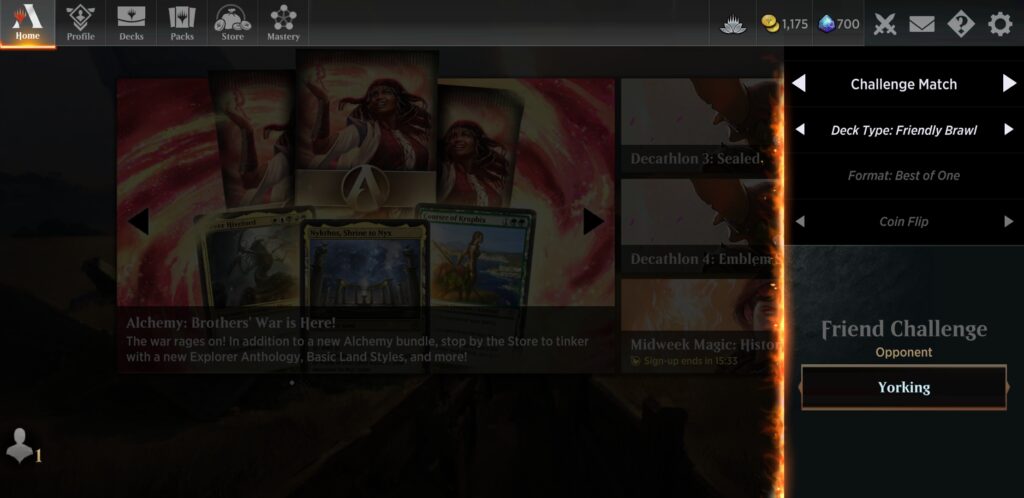
To fix MTG Arena Friendly Brawl not working, you can update MTG Arena, use the old challenge system, and switch brawl decks. Additionally, you can check for server status, and run MTG Arena as an administrator.
1. Update MTG Arena
Updating the game is often a necessary step because patches for MTG Arena frequently contain bug fixes and improvements that can resolve issues like the Friendly Brawl not working. If you don’t update, you could be missing out on these essential fixes, which could be the reason for the problem.
- Open the MTG Arena client on your device.
- If an update is available, the client will typically prompt you to download it. Follow the on-screen instructions to do so.
- After the update is complete, restart the game and check if the Friendly Brawl feature is working.
2. Use The Old Challenge System
Sometimes the new features introduced in the game might have bugs, and using the old system that was working before can be a good workaround. The old challenge system might not have the same issues as the new one and can allow you to play Friendly Brawl matches.
- Click “Direct Challenge” icon top right.
- Select deck type (Brawl, Regular, Historic).
- Enter friend’s handle (username#12345).
- Choose your deck.
- Click “Start” to challenge.
- Friend repeats steps with same deck type.
3. Switch Brawl Decks
If there’s an issue with the deck you’re trying to use, it could prevent the Friendly Brawl from starting. Trying a different deck can help determine if the problem is with a specific deck or the Friendly Brawl feature itself.
- Go to deck collection, select different Brawl deck.
- No alternate deck? Create one meeting Brawl rules.
- Try initiating a Friendly Brawl with new deck.
4. Check For Server Issues Of MTG Arena
Server issues can affect gameplay and features within MTG Arena, including Friendly Brawl. Checking for server issues can help determine if the problem is on your end or if it’s a widespread issue that the developers need to address.
- Visit the official MTG Arena Twitter account or other social media platforms for any announcements regarding server status.
- You can also check community forums or the MTG Arena status page for real-time updates and information.
- If there are server issues, you may need to wait until they are resolved before the Friendly Brawl feature will work properly.
5. Run MTG Arena As An Administrator
Running MTG Arena as an administrator can resolve issues caused by permissions that prevent the game from functioning correctly. This can be particularly effective if the game is having trouble accessing files it needs to run.
- Find MTGA.exe on your computer.
- Right-click, choose “Properties.“
- Click “Compatibility” tab.
- Check “Run this program as an administrator.”
- Apply changes, restart game.
6. Uninstall And Reinstall MTG Arena
If none of the above solutions work, the game files might be corrupted, and reinstalling the game can ensure that you have a fresh, uncorrupted installation. This can resolve persistent issues that aren’t fixed by other troubleshooting steps.
- Open Steam and go to the Library.
- Right-click the game you want to reinstall.
- Click “Uninstall” and confirm the action.
- After uninstallation, click “Install” on the game in your library.
- Follow the on-screen instructions to reinstall the game.
7. Contact MTG Arena Support
If none of the above steps work, your best bet is to contact MTG Arena Support for further assistance.
Provide them with details of the issue, any error messages you’re receiving, and the steps you’ve already taken to try to resolve the problem.