
Are you having trouble unlocking the Jackie skin in Fortnite Rocket Racing? You’re not alone.
Many players have encountered issues with this unlockable skin, but fear not – there are solutions available.
In this blog, we’ll explore the common issues causing the Jackie skin to remain locked and provide you with effective methods to fix it.
How To Fix Fortnite Jackie Skin Not Unlocking?
To fix Fortnite Jackie Skin not unlocking, you can reach gold 2 rank, complete an additional race, and check for bugs. Additionally, you can restart Fortnite, and clear Fortnite cache and data to fix the issue.
1. Reach Gold 2 Rank
The primary requirement to unlock the Jackie skin is to reach Gold 2 rank in the Rocket Racing event.
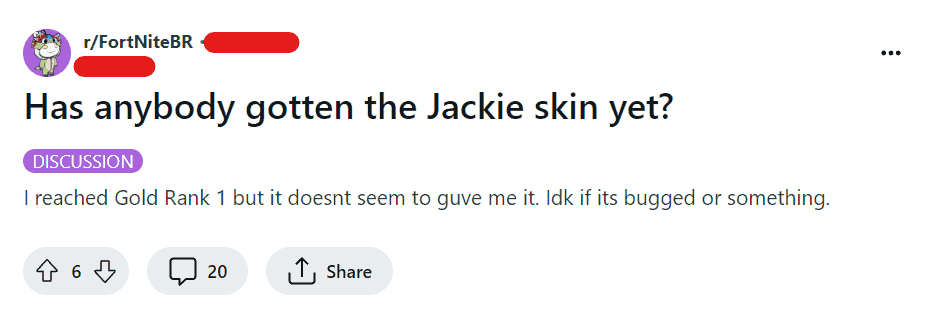
Some players have reported confusion, thinking reaching Gold rank would be enough, but you need to ensure you’ve achieved Gold 2 specifically.
2. Complete An Additional Race
After reaching the required rank, you must complete one more race.
This step is crucial because it seems to trigger the system to award you the skin.
Simply reaching the rank may not be enough; the additional race acts as a confirmation for the unlock.
3. Check For Bugs In Fortnite
Sometimes, the issue may be due to a bug within the game.
If you’ve met the conditions but the skin hasn’t unlocked, it could be a bug that other players are experiencing as well.
Keep an eye on Fortnite’s official social media channels or Epic Games’ status page for any announcements regarding such issues.
4. Restart Fortnite
If you’ve completed the above steps and still don’t see the skin, try restarting the game.
Occasionally, the unlock may not appear until the game has been refreshed.
For PC:
- Close Fortnite and the Epic Games Launcher.
- Open Task Manager (Ctrl+Shift+Esc), end any Fortnite and Epic Games Launcher processes.
- Launch Epic Games Launcher, then start Fortnite.
For Mac:
- Quit Fortnite and Epic Games Launcher (Cmd+Q or via the dock).
- Reopen Epic Games Launcher, then start Fortnite.
For PlayStation:
- Press the PS button, select Fortnite, press Options, then choose ‘Close Application’.
- Restart Fortnite from the home screen.
For Xbox:
- Press the Xbox button, highlight Fortnite, press the Menu button, then select ‘Quit’.
- Restart Fortnite from the home screen.
5. Clear Fortnite Cache And Data
If you’ve tried the previous steps and are still facing issues, clearing your Fortnite cache might resolve the problem.
Clearing the cache will not delete your game data or progress, but it can fix issues with skins not appearing.
Here’s how to clear the cache:
For PC:
- Close the Epic Games Launcher.
- Press Win+R on your keyboard to open the Run dialog.
- Type %localappdata% and hit Enter.
- Navigate to Epic Games Launcher -> Saved -> webcache.
- Delete the contents of the webcache folder.
- Restart your computer.
- Launch the Epic Games Launcher and start Fortnite.
For Mac:
- Close the Epic Games Launcher.
- Open Finder.
- Click on ‘Go’ in the menu bar, then select ‘Go to Folder…’.
- Type ~/Library/Caches/com.epicgames.EpicGamesLauncher and press Enter.
- Delete the contents of the folder that opens.
- Restart your Mac.
- Open the Epic Games Launcher and start Fortnite.
For PlayStation:
- Turn off your PlayStation console and wait until the light stops blinking before unplugging it.
- After a couple of minutes, plug the console back in and turn it on.
- Navigate to the Settings menu.
- Go to ‘Storage’, and then ‘System Storage’.
- Select ‘Saved Data’.
- Find Fortnite and press the Options button on your controller.
- Choose ‘Delete’ and select the files you want to clear.
For Xbox:
- Press the Xbox button to open the guide.
- Go to ‘System’ and select ‘Settings’.
- Under ‘System’, select ‘Storage’.
- Choose ‘Clear local saved games’.
- Note that this will delete all saved games from the console; they will still be available in the cloud if you’re connected to Xbox Live.
- Restart your Xbox.
6. Contact Epic Games Support
If all else fails, your last resort would be to reach out to Epic Games customer support.
Provide them with details of the issue, your account information, and any relevant screenshots or evidence that shows you’ve met the unlocking criteria.